

LilBuba LilBuba.ai

Safe • Smart • Stupidly Fast

DedupliK8Your Life

"We took the intelligence out of AI so you don't have to."

Free to scan, £24.95 to clean.

Download free, scan free
💾
~500GB
of duplicates on my own drive — the mess that started K8
⚡
99.88%
fewer checks than the brute-force way, on a real 3,318-photo library
🔒
100%
local & private — nothing ever leaves your PC
🛡
30 days
to restore from quarantine and get your money back

The duplicate finder for real life

K8 Bionic
K8 Bionic DedupliK8 your life Not on sale at the moment
K8 Bionic

K8 Bionic

DedupliK8 your life
Safe · Smart · Stupidly Fast

The duplicate file and photo finder that actually works. It finds exact duplicates by what's inside them, and near-identical photos with a patent-pending method. Reclaim gigabytes of wasted space. Your files never leave your machine.

⚡

Stupidly Fast

Patent-pending photo check: on a real 3,318-photo library it needed 99.88% fewer comparisons than checking every pair. In our September test, a 2,941-file music folder took 1 minute 16 seconds on a laptop SSD.
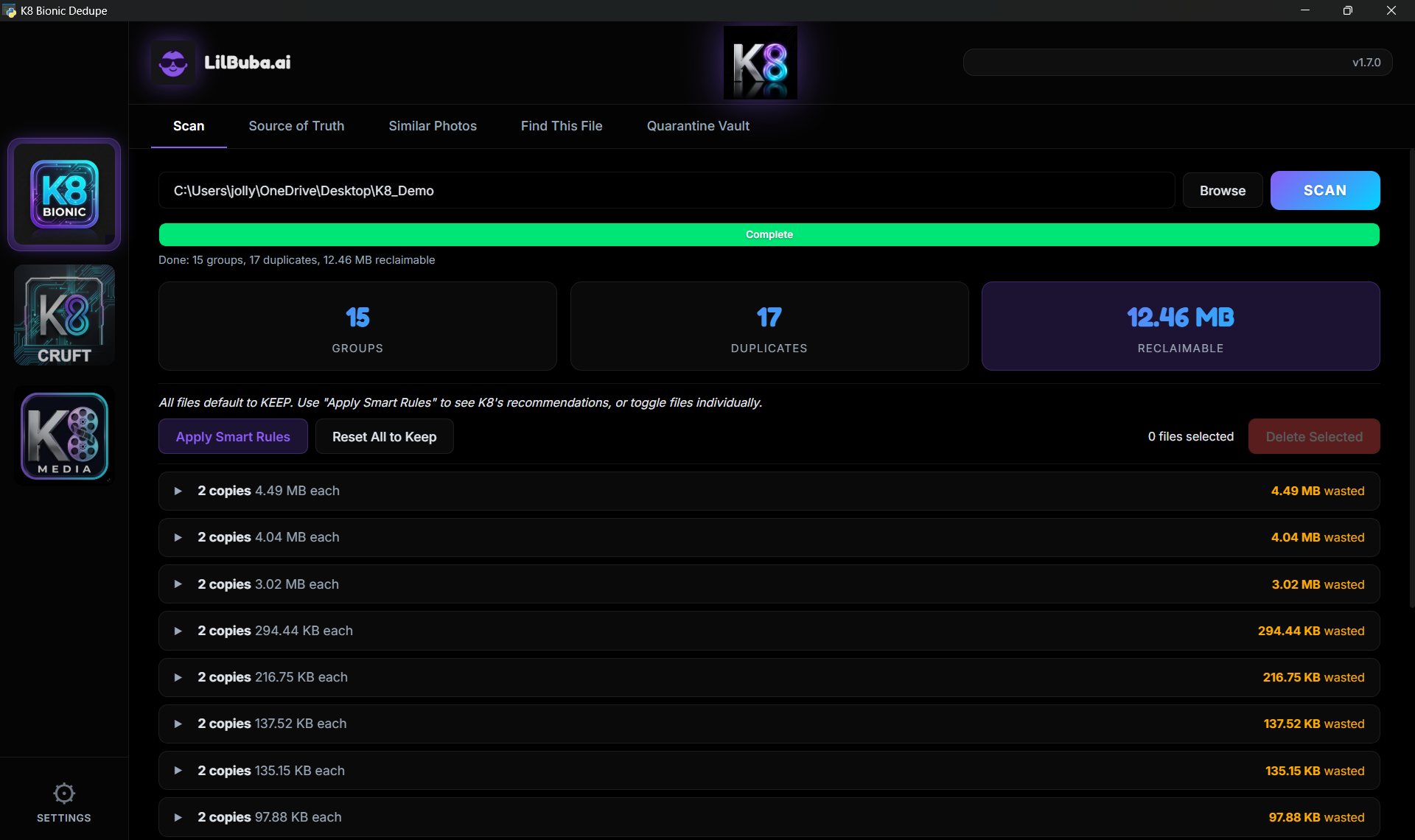
K8 Bionic scan results🔍
📷

Similar Photos

Re-saved, resized and lightly edited copies of the same shot, found and grouped. Undated photos, RAW files and iPhone photos too (where Windows can open them). You pick the keeper.
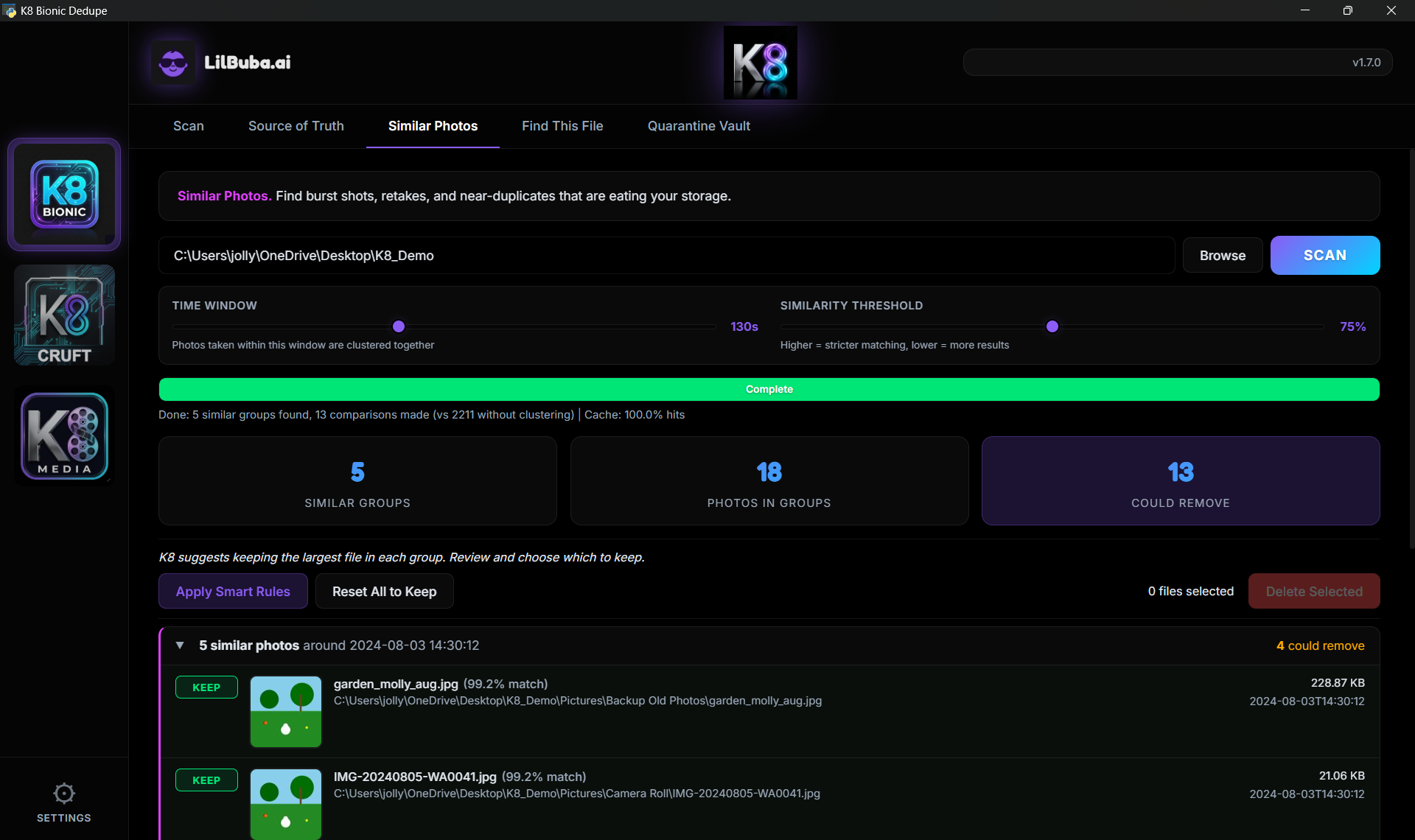
K8 Similar Photos detection🔍
🛡

Quarantine System

Nothing permanently deleted. 30-day quarantine with full restore. Protected folders.
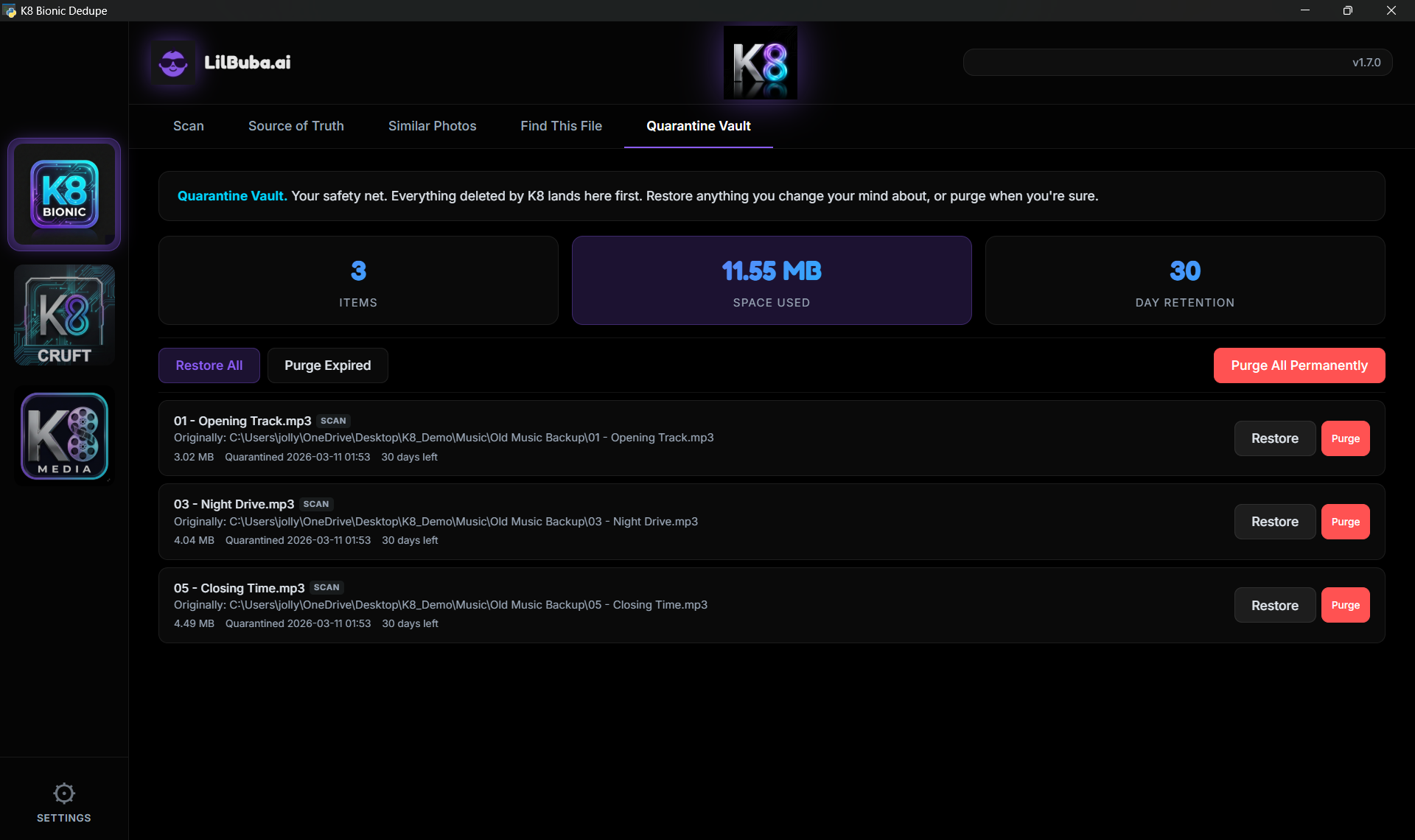
K8 Quarantine Vault🔍
☁

Cloud-Safe

Detects OneDrive cloud-only files automatically. No freezing. No forced downloads.

🔎

Source of Truth

Set a master folder. Find duplicates everywhere else. Originals always safe.
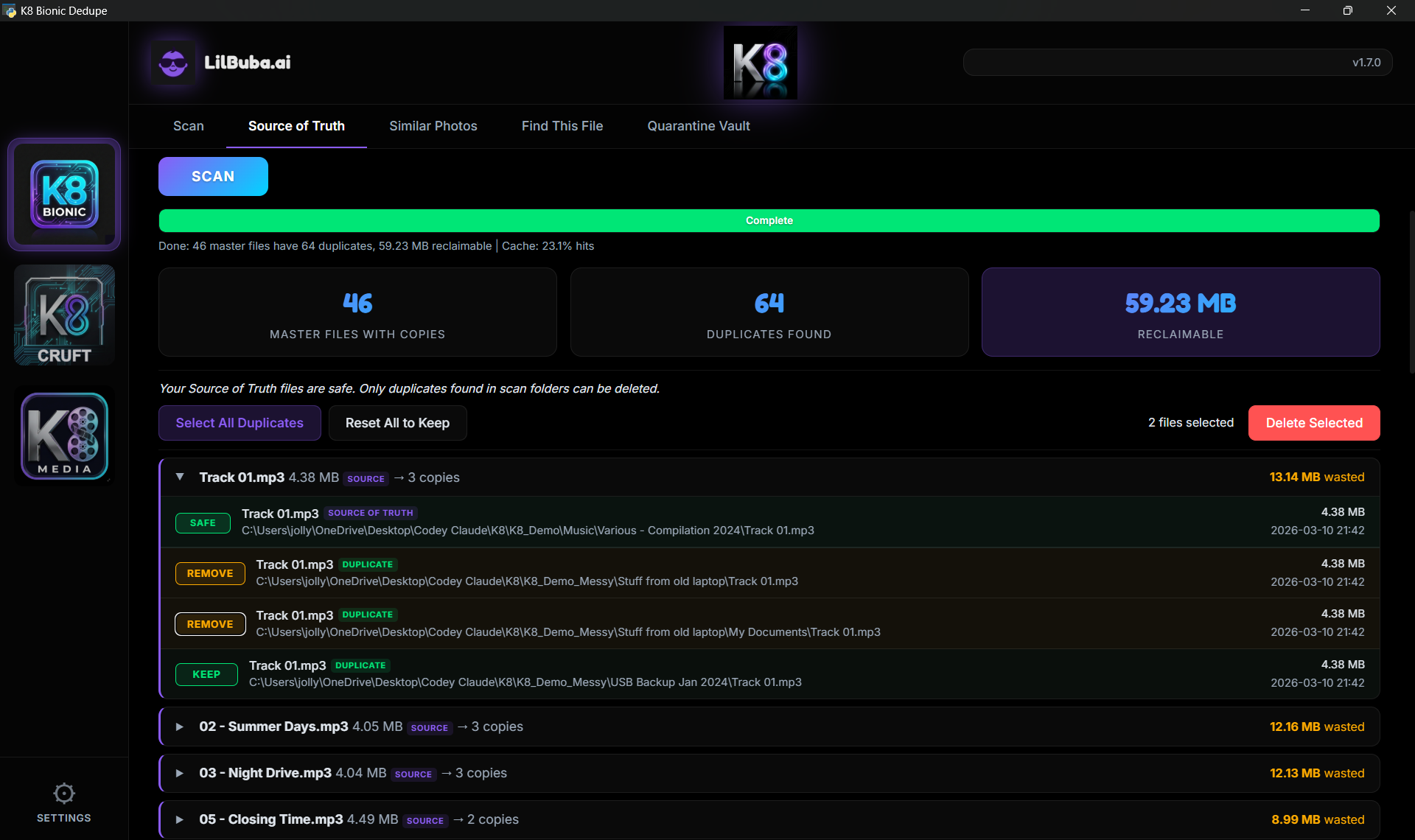
K8 Source of Truth🔍
🔍

Find This File

Pick any file and the folders or drives to search. K8 lists its exact copies, plus files with the same name or the same size.
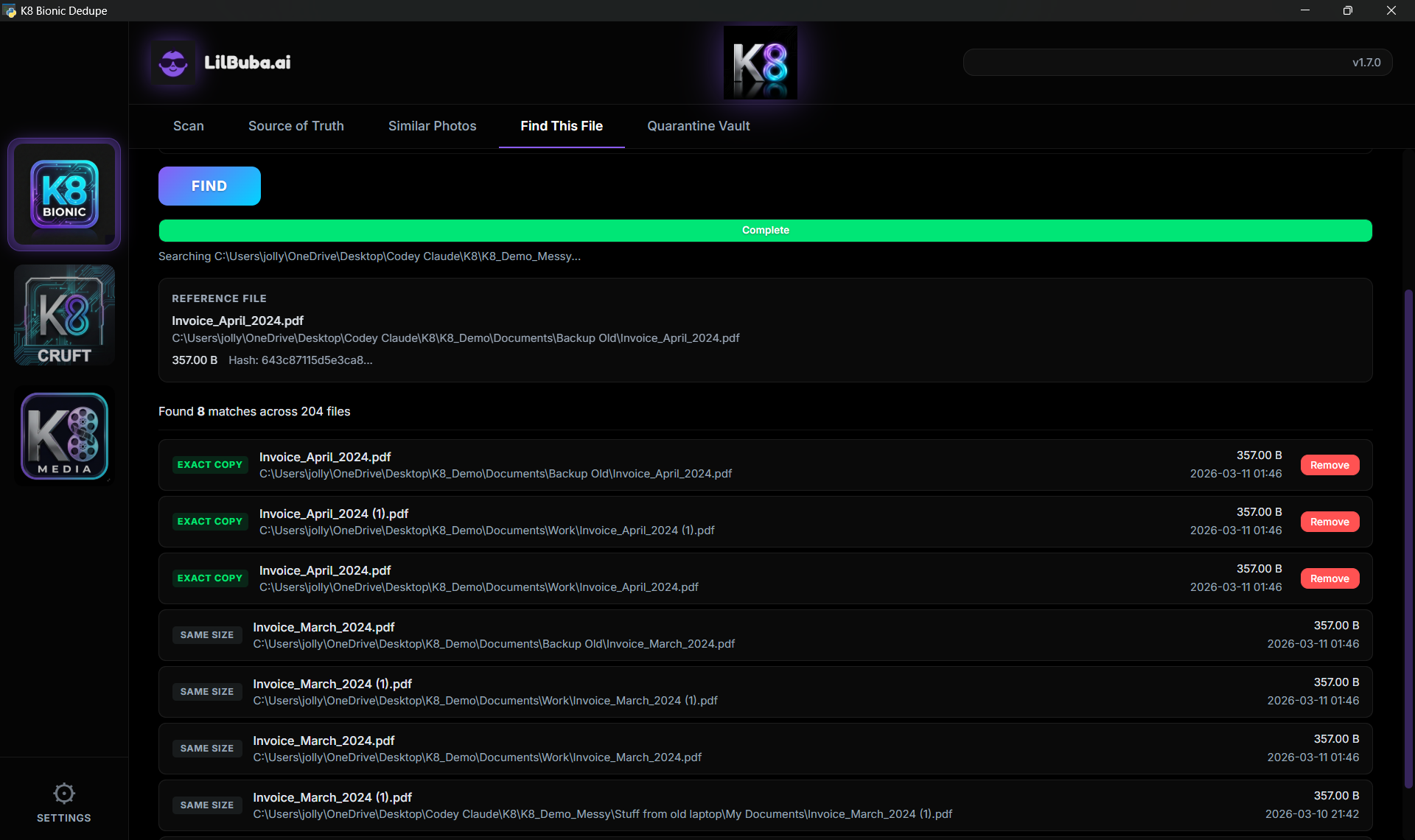
K8 Find This File🔍

K8 Bionic is not on sale at the moment. An upgraded version is on its way.

Download free, scan free

Part of the K8 family — see K8 Cruft and K8 Media too.

Join the mailing list

If you'd like, we'll only email you new product updates. Nothing else, ever.

Join Mailing List →

Product updates only. No spam, no sharing, unsubscribe anytime.

Cleverness baked in. Not bolted on.

"We took the intelligence out of AI so you don't have to."

Every K8 tool runs entirely on your computer. No cloud. No accounts. No subscriptions phoning home. The clever part is already inside — it does its job, then shuts up. Your files never leave your machine.

No cloud uploads
No account needed
No telemetry
No subscription
Patent-pending technology

K8 Bionic: the questions we get asked

What is K8 Bionic? +
K8 Bionic is the duplicate file and photo finder for ordinary life: the Downloads folder nobody opens, the eleven nearly-identical shots of the same sunset, the backup of the backup of the backup. It finds exact duplicates and near-identical photos, shows you what it found, and never removes anything on its own. Anything you do remove goes to a 30-day quarantine you can restore from with one click. It runs entirely on your own machine. £24.95, one-time, lifetime licence.
How does K8 find duplicates so fast? +
Checking every photo against every other gets slow on big libraries. K8 Bionic's patent-pending approach rules most photos out before any comparing starts. On a real library of 3,318 photos it needed 6,840 checks instead of 5,496,270, which is 99.88% fewer. For exact duplicates, K8 only reads the files that could possibly match. In our September test it went through a music folder of 2,941 files and found 18.02 GB of duplicates in 1 minute 16 seconds, on a laptop SSD.
Will it find similar photos, not just exact copies? +
Yes. Exact copies are the easy part. K8 Bionic also looks for near-identical photos: re-saved, resized and lightly edited copies of the same shot. Photos with a date taken are checked against others taken within a minute of them, and photos with no date are checked against every photo. It reads iPhone (HEIC) photos where Windows can open them, which needs Microsoft's HEIF and HEVC extensions (K8 tells you if it couldn't open any), and RAW files through the preview your camera saves inside them. It doesn't match cropped or rotated copies. It groups the near-duplicates together so you can pick the keeper and let the rest go. You review every group, and nothing moves until you tick it.
What is Source of Truth mode? +
It's for when you already know where the good copy lives. You set a master folder, such as your proper photo library or your organised music folder, and K8 Bionic looks for duplicates of it everywhere else. Originals in the master folder are always safe. It's the tidiest way to clear out the copies that sprawled into Downloads, the Desktop and half a dozen old backup folders.
How does K8 handle OneDrive cloud files? +
K8 detects cloud-only files (the cloud icon in Explorer) and skips them automatically. No accidental mass downloads, no freezing, no bandwidth surprises. Files that are fully synced locally are scanned normally.
Will K8 permanently delete my files? +
No. All removals go through a 30-day quarantine system first. Files sit there fully intact and restorable with one click. Even after 30 days, K8 asks for confirmation before permanent deletion. We've all heard the horror stories about tools that nuked someone's wedding photos. That will never happen with K8.
Does K8 send my data anywhere? +
No. Absolutely not. K8 runs entirely on your local machine. It does not connect to the internet during scanning. Zero telemetry. Zero analytics. Zero tracking. We don't know how often you run it, how many files you scan, or whether you prefer dark mode. Your privacy is not our product.
Do I need to create an account? +
No. K8 has no accounts, no login, no registration. You download it and start scanning. A licence key only goes in when you want K8 to clean up. K8 never asks for your email address, your usage data, or your firstborn. (When you buy, Paddle takes your email so we can send you your key.) Just clean up your files in peace.
What is your refund policy? +
We offer a 30-day no-quibble money-back guarantee. If K8 isn't right for you, contact us within 30 days of purchase and we'll process a full refund, no questions asked. Email [email protected] and we'll sort it promptly.
Are updates free? +
Yes. All updates to your purchased K8 product are free, forever. Bug fixes, performance improvements, and new features within your product are all included in your one-time purchase price. No subscriptions, no annual renewals.
Can I install K8 on more than one computer? +
Yes. Your licence covers your own PCs, up to three: install K8 on each and use the same key. Replacing a computer? Install K8 on the new one and type in your key.

Still stuck? Email us at [email protected] — real humans, not bots.

💻 K8 is a Windows desktop app (Windows 10/11, 64-bit). Please visit lilbuba.ai on your PC to download.